
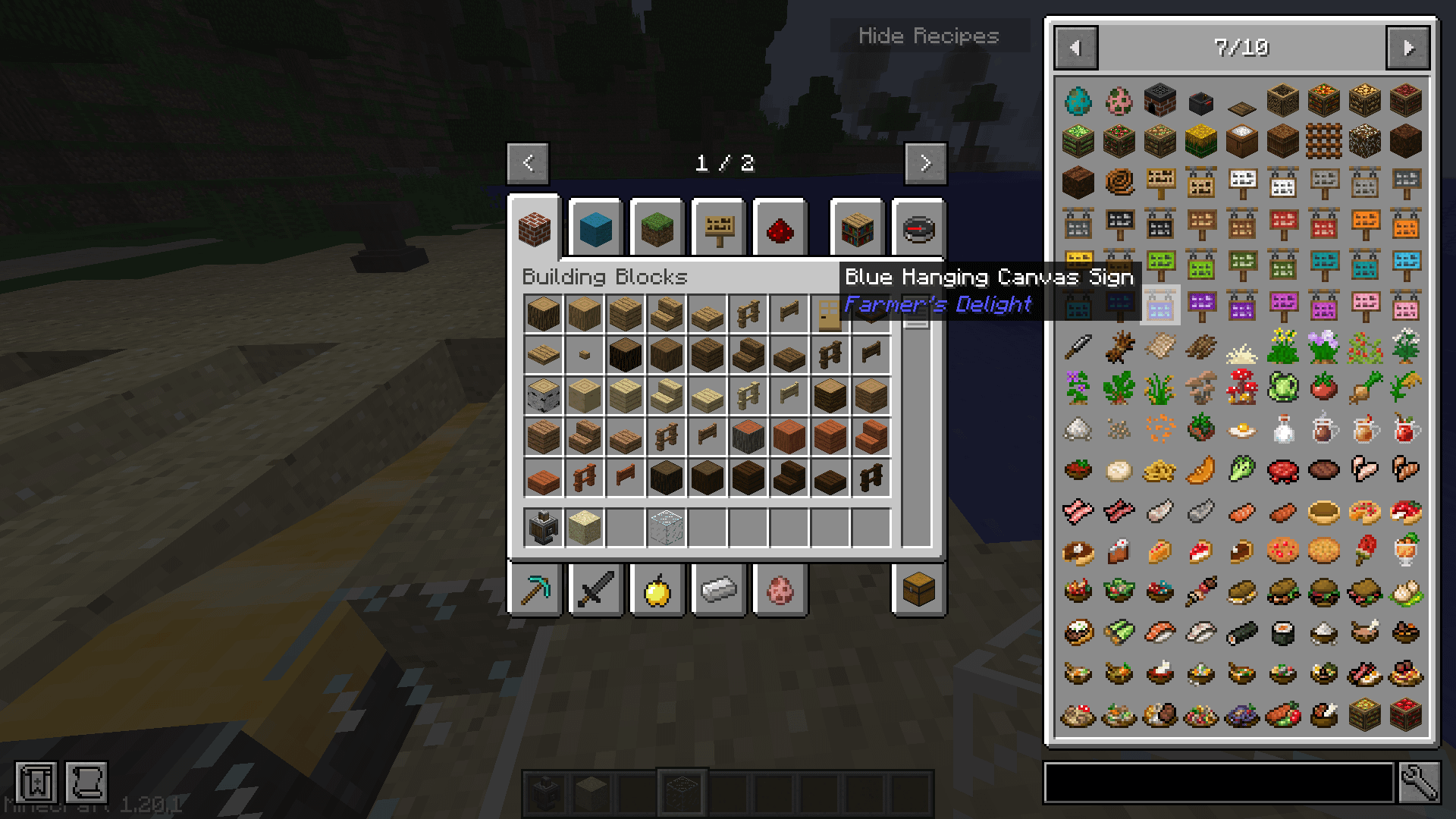
EDIT: Solution posted by u/Fisher77
open config -> jei-mod-id-format.ini
edit line that says 'modNameFormat = blue italic' to be 'modNameFormat =' (completely remove the style)
save and reload.
Thanks for your help everyone!
Original Post:
First time poster so I apologize if I miss any rules or posting conventions!
I was wondering if anyone knows of a way to get rid of the mod name being displayed underneath the item name in the hover tooltip in JEI? (For example, in the attached screenshot I'd like it to just say "Blue Hanging Canvas Sign" and not say "Farmer's Delight" beneath that).
I'm putting a lot of effort into making this little modpack feel super cohesive (I've even removed a majority of vanilla content to try and keep bloat to a minimum) with the eventual goal of making it so that you don't know where vanilla ends and modded begins. The mod name being displayed really takes you out of that illusion. Any suggestions?
I've tried looking through both the JEI and Jade configs. I also tried EMI but unfortunately I rely heavily on JEItweaker to manage/hide unused content and EMI doesn't inherit any of those changes. I even tried messing with the tooltip settings in Nostalgic Tweaks but they don't seem to effect JEI.
Thanks in advance!
by Apprehensive-Match40
3 Comments
It’s usually the 2nd line in the Jade.json file.
**”itemModNameTooltip”: true**
Go into the config file and dont forget to save!
NEI/JEI/EMI without mod name is lowk torture