
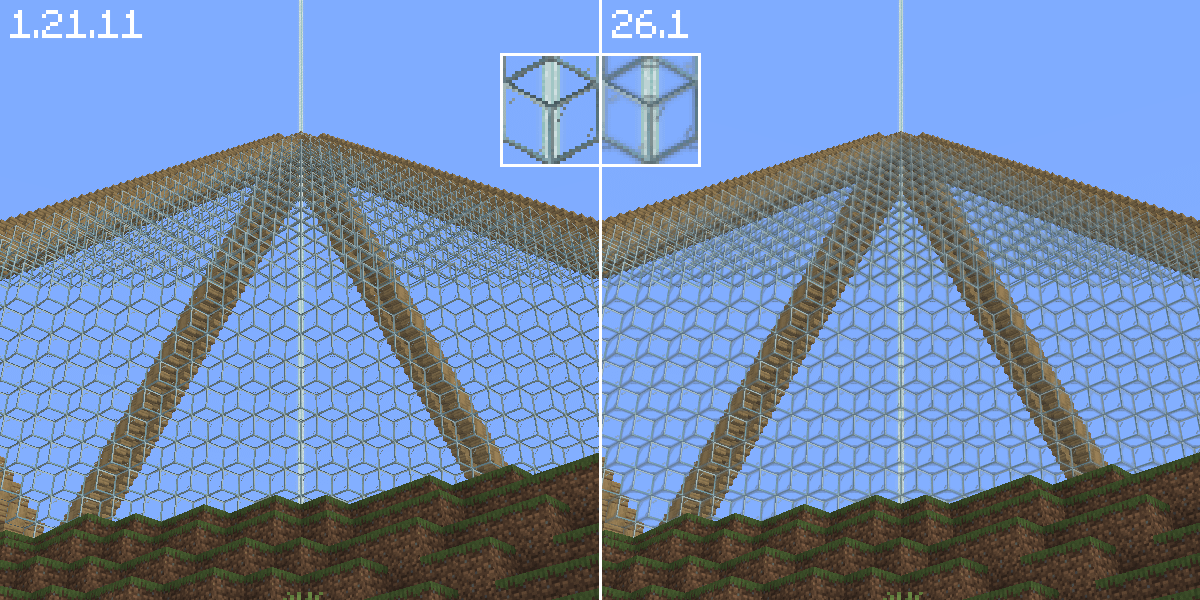
First glaring thing I noticed when switching from 1.21.11 to 26.1. I might have missed something, but I'm confused as to why some textures look blurred and gross from far away. Lowering mipmap helps a bit, but there is always some weird filtering going on that I can't seem to shake by messing with video settings. The textures are supposed to be aliased..
by EmeraldTeaYT
5 Comments
Sensitivity😭i literally cannot tell the differenc
Look in graphic settings for smth related to rexture filtering and try different options
Mojang cant leave good enough alone -_-
Minecraft is now running on gzdoom
I have messed with everything in my settings and can’t seem to replicate this, maybe try updating GPU Drivers, or looking into your game-specific GPU Driver configs and resetting it for Minecraft, but it could also just be some random incompatibility with your hardware