
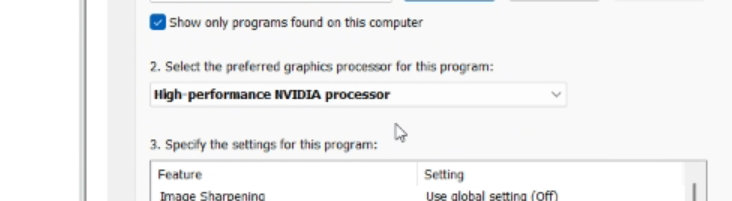
Open Nvidia Control Panel > Manage 3D Settings
go to the Program Settings tab, click Add, then click Browse… and select your javaw.exe (to find it, use Task Manager while you have your laggy Minecraft open, and open file location)
For my case it was:
C:\Users\[user]\curseforge\minecraft\Install\java\java-runtime-delta\bin\
and select javaw.exe, and open
Then, as shown in the image attached, make sure you select the high-performance option.
I kept having low FPS and it took me hours to realize the game was just using the wrong GPU.
by legendaryboss200