
Hello,
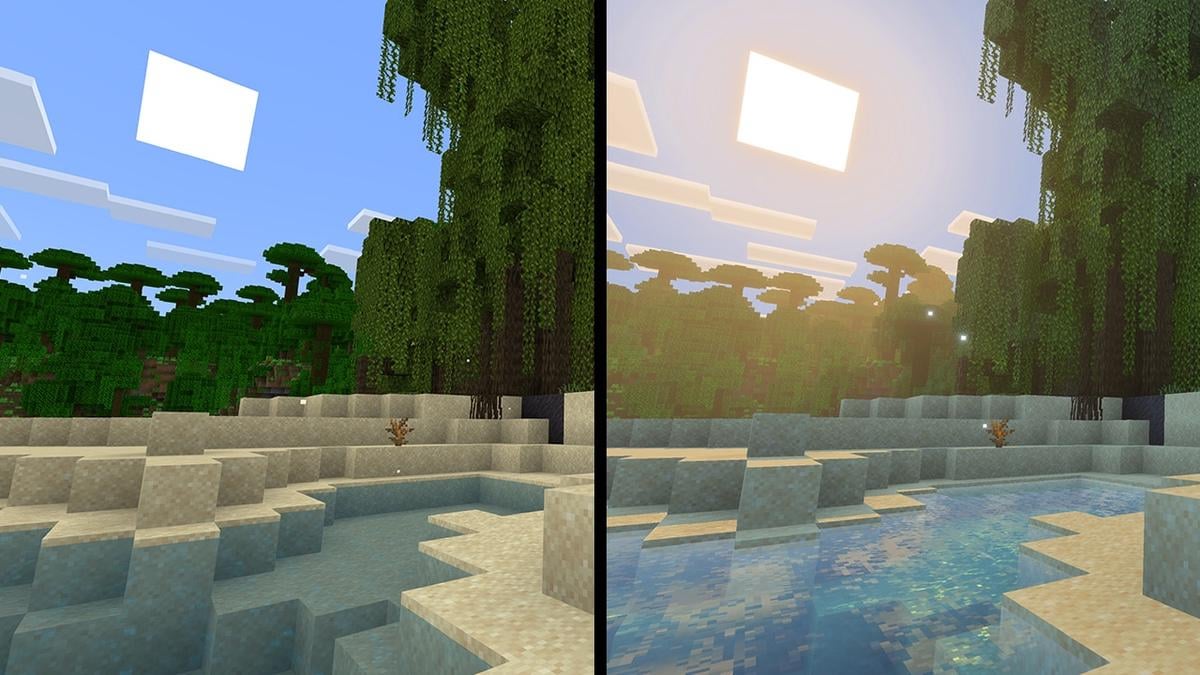
As we are seeing a huge number of identical threads, here are some answers to the question "Why isn't Vibrant Visual working?"
- It's on Bedrock only.
If you are playing on computer, you may be using the Java version. Java does not have Vibrant Visuals, but will have it later.
- It's only on some supported devices
Shaders require some specific hardware. The list of supported devices can be found here. In short, it is not on Nintendo Switch (1 & 2), ChromeOS, Amazon Fire and old devices.
- It requires a supported resource pack (vanilla is supported)
If you have a texture pack, try turning it off. You may also need to disable some addons if they require a texture pack. Servers/Realms sometimes use resource pack too that can prevent Vibrant Visuals being turned on.
The wiki also has a list of known issues related to Vibrant Visuals.
by Mlakuss
3 Comments
Is there a way to turn it off? I just went into my favourite world and I hate how it looks personally 🙁
Why is everything so blurry?
I wanted to turn it off but the option is grayed out, unclickable. I was playing on Bedrock