
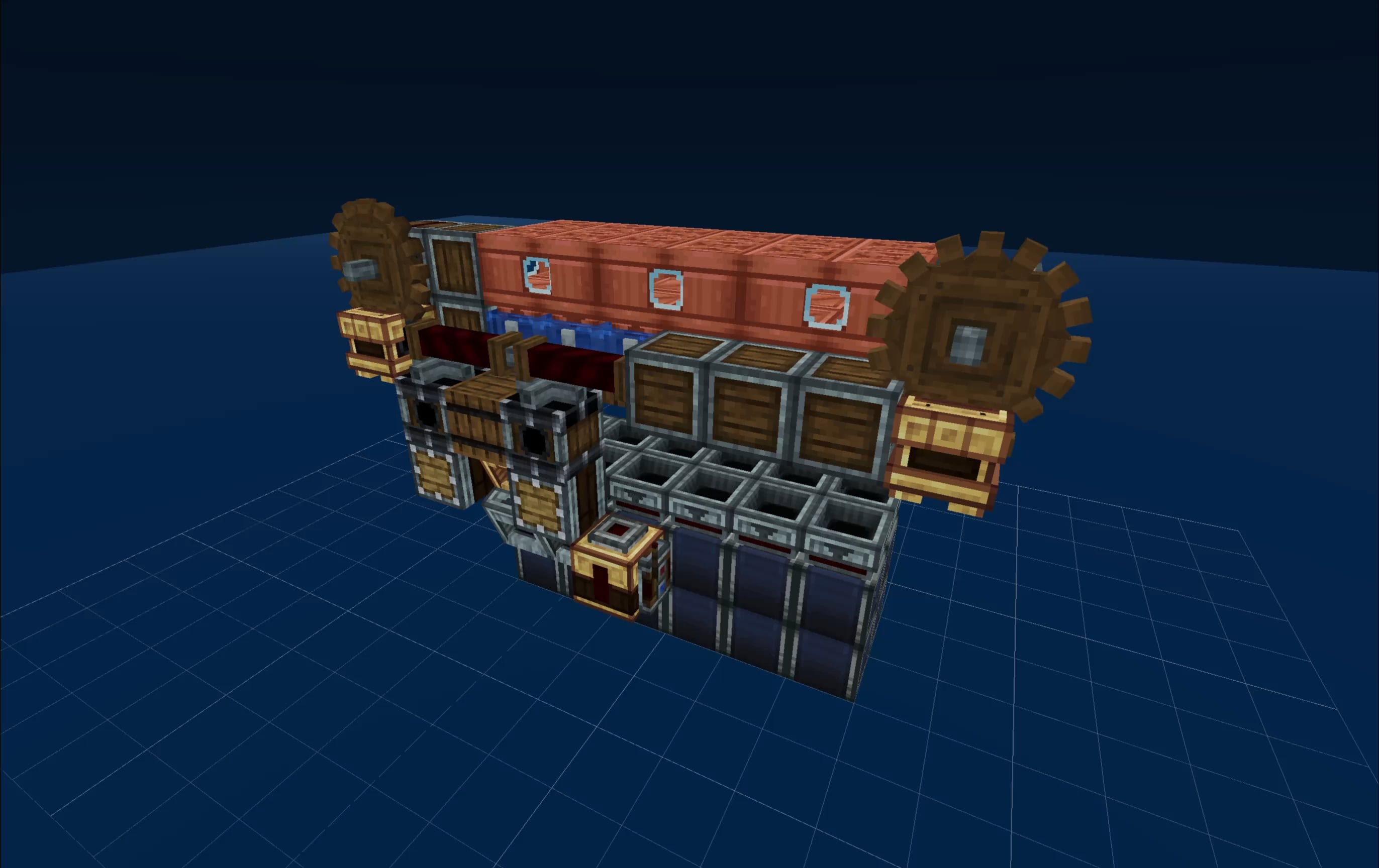
A month ago I posted here about a small tool I built because I kept getting frustrated while following Minecraft build tutorials on youtube.
The idea was simple: videos are great, but Minecraft builds are 3D, and sometimes a fixed camera angle just isn’t enough. I wanted to be able to orbit around a build, go inside it, slice it layer by layer, and actually understand what I was building instead of constantly pausing, rewinding, and guessing.
I honestly didn’t expect the response the first post got.
Many of you guys tried it, broke it, sent feedback, asked for formats I hadn’t supported yet, reported rendering issues, and suggested use cases I hadn’t even thought about. So over the last month I’ve been working through as much of that feedback as I could.
The biggest update is probably Create mod support.
That one was requested a lot, and I understand why. Create builds are completely different beasts compared to normal schematics. They’re not just houses or farms, they can be full factories, moving contraptions, vehicles, trains, planes, etc… basically very fun giant mechanical spaghetti.
And when a Create build gets complicated, understanding it from screenshots or a video can be painful. You don’t just need to know where blocks go, you need to understand how the whole machine is laid out. Being able to inspect it freely in 3D makes a huge difference.
So now Shulkr can render Create mod blocks properly, which makes it much more useful for studying factories and complex contraptions before trying to build them in-game.
Other things I added since the first post:
- It now works properly on mobile
- You can view schematics layer by layer from your phone, which is useful if you play on one screen and don’t want to alt-tab constantly
- I fixed a bunch of rendering bugs, especially around liquids
- Waterlogged blocks now work properly
- It now supports more schematic formats:
.schem.litematic.nbt/ Java structure files (also used by create mod).mcstructure/ Bedrock structure files
It still runs directly in the browser, with no install needed.
It’s still completely free and there are still no ads. I’m mostly building this because I wanted it to exist, and because the feedback from the Minecraft community has been genuinely motivating. It's also a really fun 3D project.
I’d love to hear what still feels missing, especially from people who build with Create, redstone, or large survival schematics.
Also, there’s now a sample list of schematics you can play around with, so you don’t need to bring your own file just to try it.
by TheRealMorrow
1 Comment
Here’s the link: [https://www.shulkr.com](https://www.shulkr.com/)
There are now a few sample schematics available directly on the site, including Create mod builds, so you can try it without uploading anything.
I’d love to hear feedback, bug reports, or ideas for what would make it more useful.
Thanks 🙂