
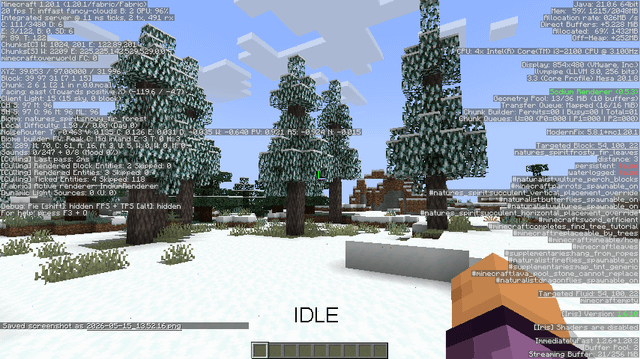
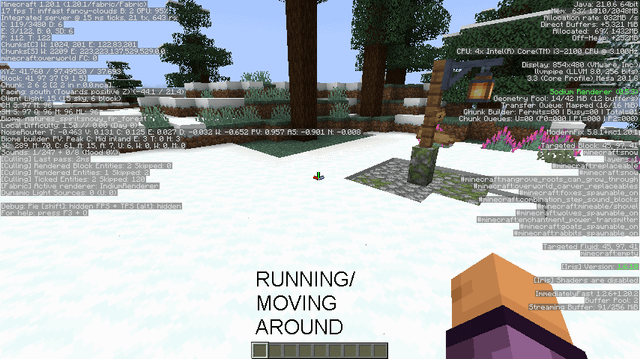
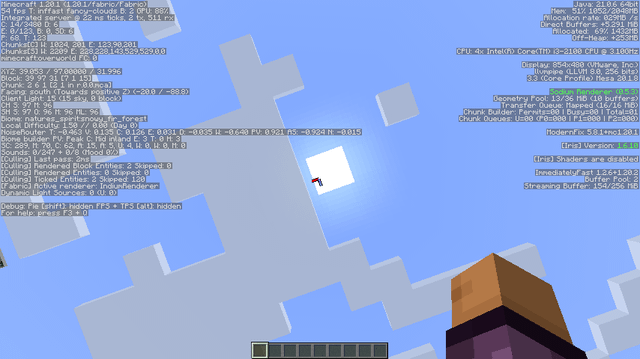
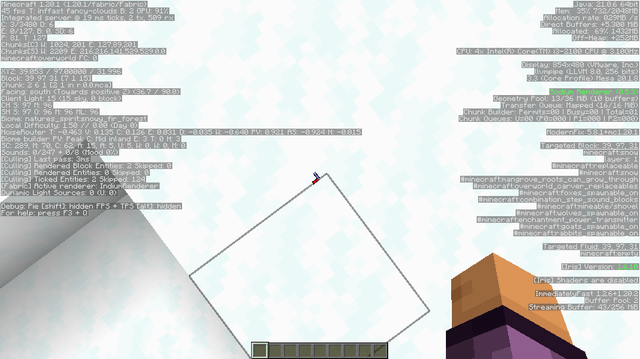
So i've been building my Fabric modpack with Fabulously Optimized for 1.20.1 on my low end PC, and i've noticed a huge FPS difference compared to when I used to use Forge with Embeddium and other performance mods. It runs a lot smoother, although I do get some lag here and there because of my specs (I believe).
My highest FPS range from 12-16 FPS in gameplay, and go as high as 40 or more when I’m looking at the sky, when i'm in the Nether or when i'm in the End. But in some biomes such as jungles and bamboo forests (especially the latter) they get as low as 2-6 FPS, making the game unplayable. I've been trying to use as less mods as possible, removing mods I don’t need (even those installed by default in FO), making sure the mods I’m using are as lightweight as possible, and i've tried updating some mods in Fabulously Optimized such as Fabric Loader, Fabric API and Cloth Config because some mods outside that modpack need updated Fabric API versions and stuff like that. Here's my specs for reference:
- Processor: Intel(R) Core(TM) i3-2100 CPU @ 3.10GHz 3.10 GHz
- Installed RAM: 4.00 GB (3.90 GB usable)
- Storage: 404 GB free of 698 GB
- Graphics Card: Intel(R) HD Graphics (32 MB)
- System Type: 64-bit operating system, x64-based processor
- System: Windows 10 Home
I use MultiMC to run Minecraft Java Edition 1.20.1, play it on a small window because I get more FPS that way compared to fullscreen mode, do NOT use shaders, have most of my settings on fast mode, VSync is off, and have the following mods asides the mods in the latest version of Fabulously Optimized (which is 5.4.1 for 1.20.1)
- Moonlight Lib 1.20-2.16.28 (1,333 KB)
- Amendments 1.20-2.2.5 (1,237 KB)
- Supplementaries 1.20-3.1.42 (13,169 KB)
- Another Furniture 1.20.1-3.0.1 (2,670 KB)
- JinxedLib 1.20.1-1.0.1 (58 KB)
- Arts and Crafts 1.20.1-1.5.1 (5,053 KB)
- Arts and Crafts Compat 1.20.1-1.4.0 (5,947 KB)
- Bountiful Fares 1.2.1-1.20.1 (4,717 KB)
- Connectible Chains 2.5.7-1.20.1 (439 KB)
- Desire 1.1.0-1.20.1 (1,772 KB)
- Every Compat (Wood Good) 1.20-2.9.17 (2,917 KB)
- Farmer's Delight Refabricated 1.20.1-2.4.1 (7,868 KB)
- GeckoLib 1.20.1-4.8.3 (1,045 KB)
- Naturalist 5.0pre3-1.20.1 (4,659 KB)
- TerraBlender 1.20.1-3.0.1.10 (315 KB)
- Nature's Spirit 2.2.5-1.20.1 (20,038 KB)
- Nature's Delight 1.12-1.20.1 (252 KB)
TOTAL KB: 73,489=73.489 MB
I used to allocate 512 MiB-1024 MiB and run Java 17, but I later set my MC to run on Java 21 and on 1024 MiB-2048 MiB because Minecraft was using up to 91% of my RAM with my mods, and it lowered to 67-71% RAM usage. FPS wise there wasn’t much of a difference, but I did get a small boost.
I have been feeling like downloading some mods that I think are pretty lightweight, like Exposure and Vista, but for some reason Exposure makes my game lag a lot because it depends on Forge Config API port, a mod that has made my game lag and make my FPS worse than they are now, and Vista simply makes my game crash before starting. I had to rebuild my modpack from scratch to remove the aftermath Forge Config API port made, and my FPS are somewhat stable, just as I mentioned before.
I feel like I need to either upgrade my hardware such as my GPU and get some more RAM, or buy a new computer, but I don't know which option would be better because I can't afford a new PC right now, and the economy is making RAM sticks and other PC hardware hella expensive. I don't expect my 8 year old PC to run such a modpack like butter, but I want to make it run as smoothly as possible while I save to eventually buy a new one. The thing is my PC is kinda slow in other tasks as well, such as browsing, doing casual office work and starting up. I barely have any applications open, and have disabled many background and startup apps. I would appreciate any advice you guys have for me, thank you for reading my post and I apologize for any confusion.
by aphelocoma3000
3 Comments
Jesus Christ your setup is worth a nickel, and if you can play it, it’s good.
My boy where’s your graphic driver?
You are using llvmpipe, which is a software renderer. Unless you actually went out of your way to make Minecraft use that (why?), install the proper graphic drivers or (better yet) switch to Linux to take advantage of the native mesa crocus driver instead which should give you much better performance.
With 2 gigs of ram I wouldn’t use ANY other app while Minecraft is open. In order to add more mods you need more RAM allocated to mc, but idt your PC is spec’ed for that. In fact I would kill any browser processes to save as well. An i3 is going to struggle with worldgen so I would add some worldgen optimizer like Noisiumed. If you can get it to work, add c2me as well. As for the crashing and the FCAPI stuff I’m not sure tbh.
P.S.: If you aren’t already, try these java args for your Java 21 Setup:
`-XX:+UseZGC -XX:+ZGenerational`. It enables an alternate garbage collector for Java that should be more performant for Minecraft, but test it out because for such a low RAM alloc it might not do anything.